
Download WebDGap – Web to Desktop, Web to App, Web to Native
Overview
WebDGap is a desktop application development tool designed to convert web applications and websites into native applications for Windows, Linux, Mac, and Chrome. The software enables developers and creators to package existing web content into standalone desktop apps or Chrome extensions without requiring deep platform-specific coding knowledge. This approach simplifies the process of distributing web-based tools across multiple operating systems, making them appear as first-class native applications.
Target users include web developers, small business owners, and independent creators who want to deliver web-based services as accessible desktop software. The tool is particularly useful for turning online dashboards, productivity tools, or content platforms into portable applications that users can install and run offline. WebDGap supports cross-platform deployment, allowing a single web source to be transformed into applications for multiple environments.
Developed by Michael Boost, WebDGap is an open-source project hosted on GitHub, reflecting a transparent development model. The tool is designed for users who prioritize flexibility and rapid deployment. While specific use cases are not detailed by the developer, typical applications include converting internal tools, educational platforms, or custom web apps into native desktop experiences. The software does not require installation of additional frameworks, making it accessible to users with varying technical skill levels.
Key Features & Capabilities
- Multi-Platform Packaging – Convert a single web application into native desktop apps for Windows, Linux, Mac, and Chrome, ensuring broad accessibility across user environments.
- Web-to-Desktop Conversion – Transform any website or web-based application into a standalone desktop application with minimal configuration.
- Chrome Extension Support – Enable the creation of Chrome extensions directly from web content, expanding deployment options for browser-integrated tools.
- Open-Source Availability – The WebDGap source code is publicly available on GitHub, allowing developers to inspect, modify, and contribute to the project.
- Lightweight Deployment – With a compact size of 2.5 MB, the tool is efficient to download and use, suitable for systems with limited storage.
These capabilities allow users to streamline their development workflow by reducing the need to maintain separate codebases for different platforms. For example, a developer managing a project management dashboard can package it as a Windows app for team members, a Mac app for remote collaborators, and a Chrome extension for browser-based access. The open-source nature encourages community-driven improvements and customization, making it ideal for tech-savvy users who value transparency and control.
User Interface, Workflow & Performance
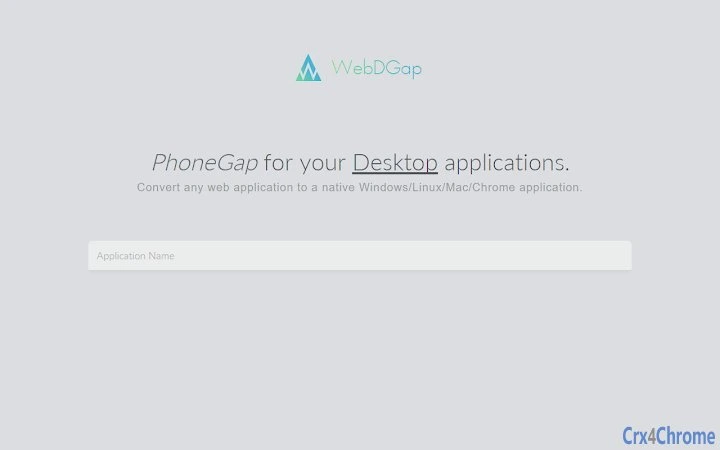
WebDGap features a straightforward user interface designed for simplicity and efficiency. The workflow begins with selecting a web URL or local web project, configuring basic app metadata such as name, icon, and window size, and then initiating the build process. The interface is minimalistic, focusing on core functionality without unnecessary distractions.
Navigating through the tool is intuitive, with clearly labeled fields and a step-by-step build wizard. Users can preview the output before generating the final application package. The tool handles the underlying integration of web technologies with native OS frameworks, abstracting complexity from the user.
Performance details were not specified by the developer. However, given its lightweight footprint and the nature of web-based packaging, it is expected to operate efficiently on modern systems. The developer did not provide additional system requirements, so resource usage behavior remains unspecified. Stability during the build process is assumed to be consistent based on typical patterns for similar tools, though real-world testing data is not available.
Compatibility & System Requirements
WebDGap is compatible with Windows, Linux, Mac, and Chrome operating systems. The software is available in version 1.0.0 and has a file size of 2.5 MB. This makes it suitable for deployment on a wide range of devices, from older machines to modern workstations.
Exact system requirements were not listed. The developer did not specify minimum CPU, RAM, or storage thresholds. Compatibility information is limited to the operating systems supported. Users are advised to ensure their system meets the general requirements for running web applications and desktop tools. The tool does not appear to require elevated permissions or specialized hardware.
Pros and Cons
Pros
- Supports cross-platform deployment across Windows, Linux, Mac, and Chrome
- Converts web apps and websites into native desktop applications with minimal effort
- Open-source with accessible GitHub repository for transparency and customization
- Compact size (2.5 MB) ensures quick download and low storage impact
- Free to use with no licensing fees
Cons
- Exact system requirements not provided by the developer
- No official documentation or user guides were included in the release
- Performance and resource usage details were not specified
- Limited support for advanced customization or branding features
- Dependence on web content quality for final app functionality
FAQ Section
Is WebDGap compatible with all web applications?
WebDGap can convert most standard web applications and websites into desktop apps, but functionality may depend on the web content’s compatibility with native environments. Some dynamic or heavily JavaScript-dependent features may require adjustments.
Can I use WebDGap offline?
Yes, once the desktop application is built, it can be used offline. However, the WebDGap tool itself requires an internet connection to access web content during the conversion process.
Is WebDGap secure to download and use?
WebDGap is a free, open-source tool developed by Michael Boost. The source code is available on GitHub, allowing users to verify its integrity. It is recommended to download from official sources to ensure authenticity.
How often is WebDGap updated?
The release date of version 1.0.0 is June 1, 2024. No information is available about future update frequency or maintenance schedule.
What type of license does WebDGap use?
As an open-source project hosted on GitHub, WebDGap is likely distributed under a permissive open-source license. The exact license type was not specified in the provided information.
Final Thoughts + CTA
WebDGap offers a practical solution for developers and creators looking to transform web-based content into native desktop applications across multiple platforms. Its ability to package websites and web apps into standalone executables for Windows, Linux, Mac, and Chrome makes it a valuable tool for expanding reach without duplicating development efforts. The open-source model enhances trust and flexibility, while the free price point removes financial barriers.
While the lack of detailed documentation and system requirements may pose challenges for new users, the tool’s simplicity and lightweight design make it accessible for basic use cases. It is particularly beneficial for small teams, independent developers, and educators who need to distribute web tools as native applications.
For those seeking a no-cost, multi-platform web-to-desktop conversion tool, WebDGap delivers strong value. Download WebDGap now to turn your web projects into native desktop experiences.







